Terminal-native coding agent
A coding agent built around how you work.
Connect the providers you already pay for, use subscriptions before API keys, launch complete workflows from chat, and turn off anything you do not need. All in a terminal interface worth spending time in.
$ curl -fsSL https://github.com/wsauret/flywheel/releases/latest/download/install.sh | bash> irm https://github.com/wsauret/flywheel/releases/latest/download/install.ps1 | iex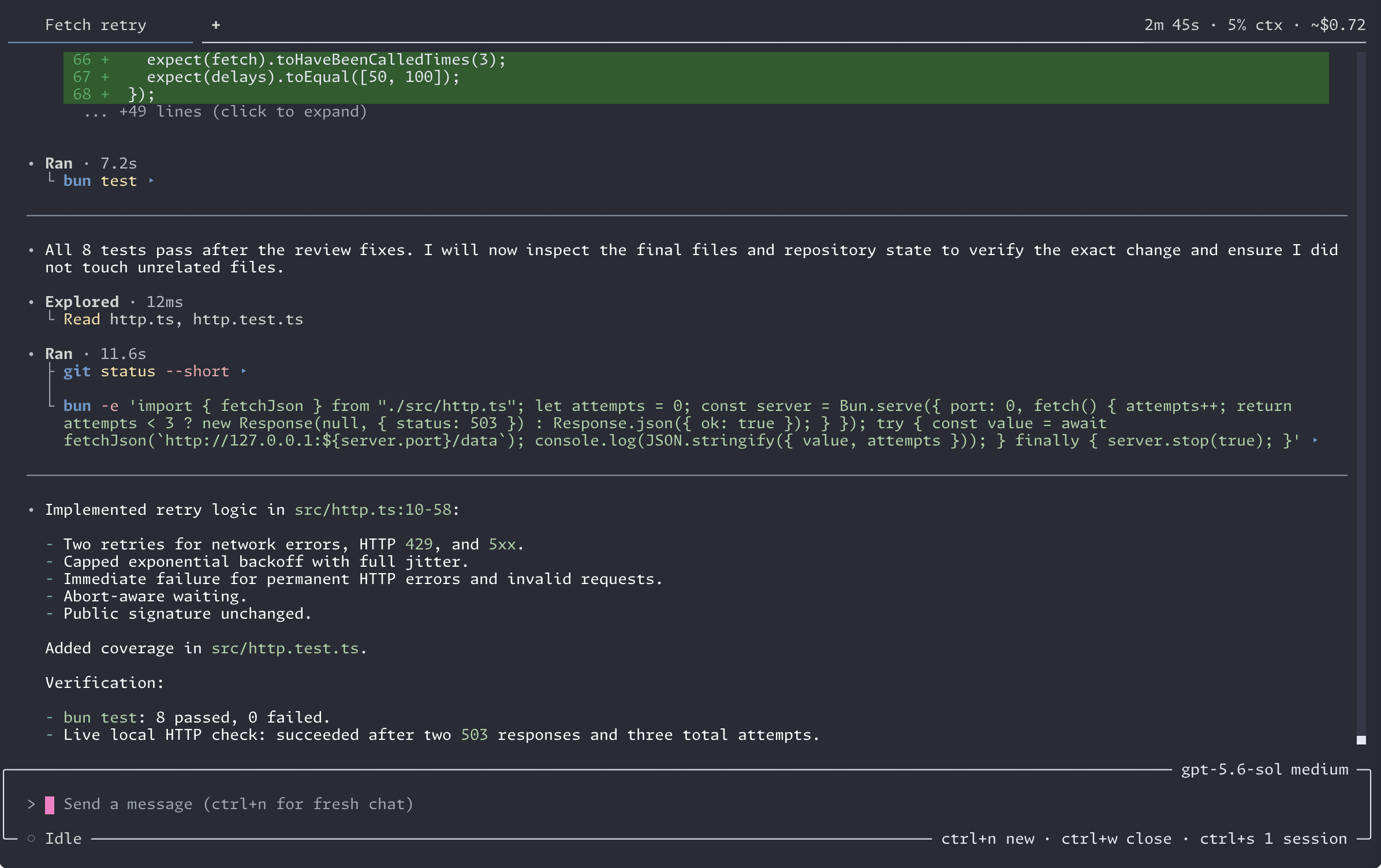
01 / Transcript
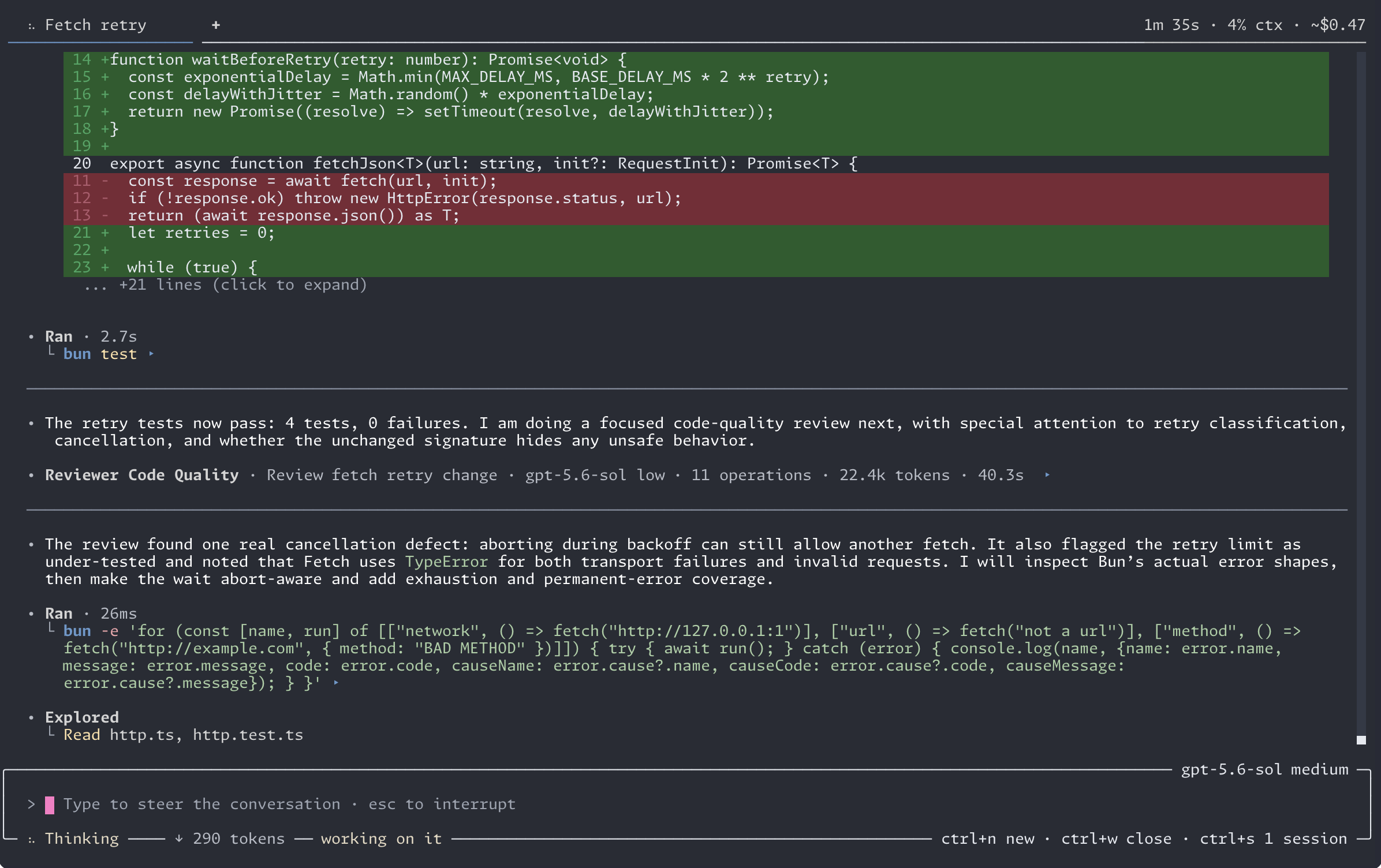
Stay focused, even when the agent is busy.
Long conversations stay readable, so reviewing an hour of agent work does not cost another hour.
- Markdown and syntax highlighting stream live
- Tool calls collapse to what matters, output stays scrollable
- Questions answered inline, diffs where you expect them
02 / Providers
Stop paying twice for models.
Sign in with the subscriptions you already pay for. Flywheel routes every turn through eligible subscriptions first and touches API keys only when no subscription route remains.
- Several accounts of one subscription rotate at their caps
- Choose the model and effort per session; assign models to agent roles
- Which provider served each turn is a recorded fact
03 / Workflows
Kick off the whole job, not one prompt.
Launch a workflow from chat and the whole delivery runs as a deterministic queue: spec, adversarial review, implementation, with verification between steps and retries that carry feedback.
- Pause, resume, and steer a run in flight
- Close the terminal mid-run; it resumes from its recorded state
- Headless mode runs the same workflows in CI
id: implement
name: Implement
steps:
  - step: spec-create
  - step: spec-review
- step: implement04 / Configuration
Start complete. Strip it back.
Flywheel ships complete, and every capability is yours to remove. If it is off, it is gone.
- Workflows, skills, subagents, learning, and background commands: one toggle each
- Disabling one removes its tools, prompts, and commands entirely
- A plain, fast chat agent is a supported configuration
05 / Evidence
Everything the agent did is on the record.
Sessions are event-sourced into a local SQLite store. One command answers what actually happened: every model call, tool run, and file change on one timeline.
- Retained changes open as diffs you can review and revert
- Reverts check for drift and refuse to overwrite newer work
- Facts and diagnostics answer questions with one search
06 / VS Code
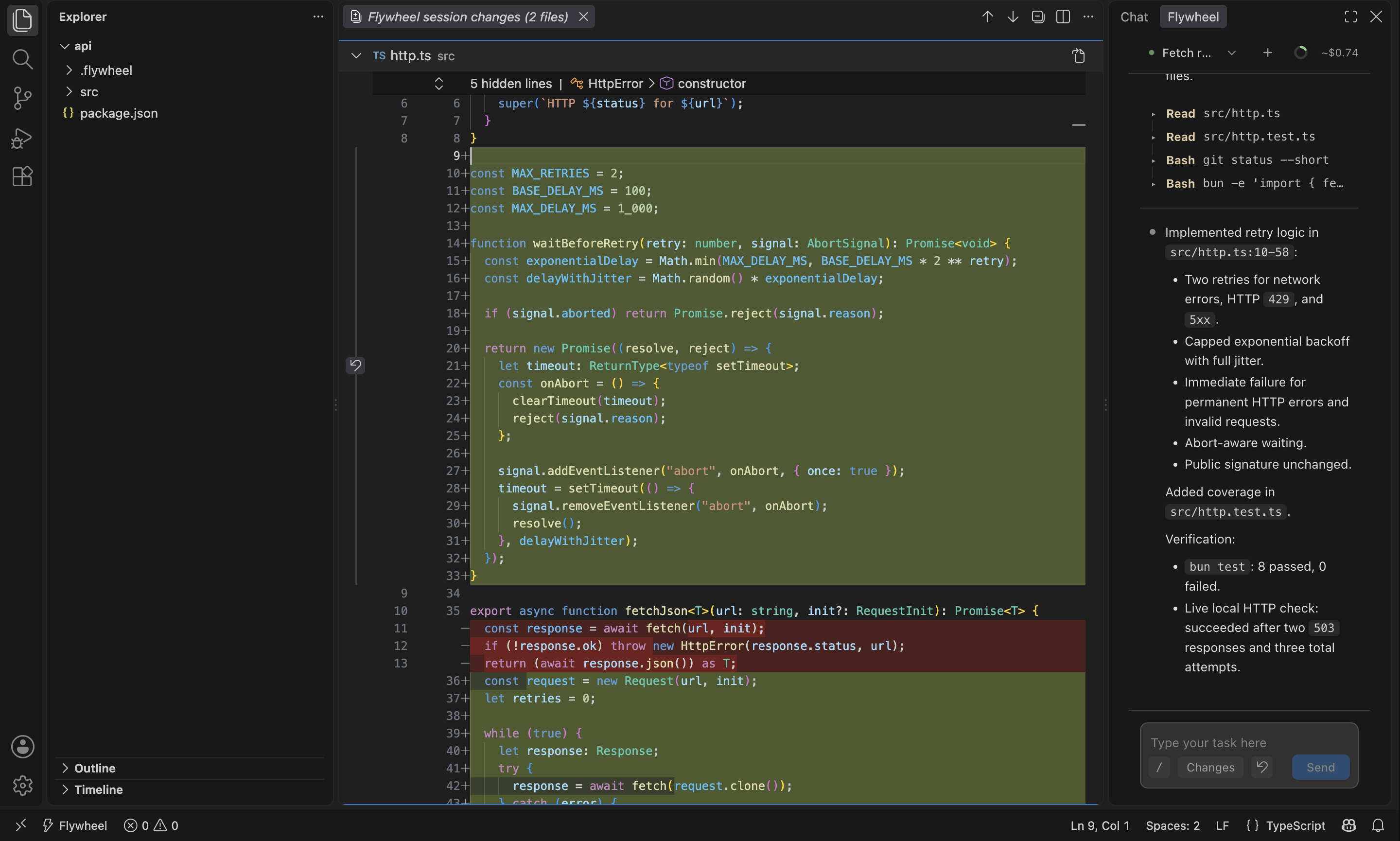
The same agent, inside your editor.
The Marketplace package includes the Flywheel runtime, so there is nothing else to install. Ask for a change, watch the tools run, and review the diff without leaving VS Code.
- Attach selections, files, symbols, or Problems as context
- Launch and steer workflows from the composer
- Runs beside your project in SSH, WSL, and dev containers
07 / Install
Ready when you are.
The installer resolves one immutable release tag, verifies the binary against SHASUMS256.txt, and keeps itself updated without disturbing a running session.
darwin-arm64 · linux-x64 · linux-arm64 · win32-x64 · win32-arm64
Compiled binaries. Intel Macs and musl-based Linux (Alpine) are not supported at present.